Key takeaways
- A monthly content shoot is a short, planned session at your business where a small crew films and photographs a month of social content in one go.
- A good shoot is mostly planning. With the right shot list, 90 minutes is enough for a month of short videos, photos and carousels.
- You don't need to memorise lines. Short lines fed to you on the day work better than a script.
- One shoot can cover your socials and your website photos at the same time.
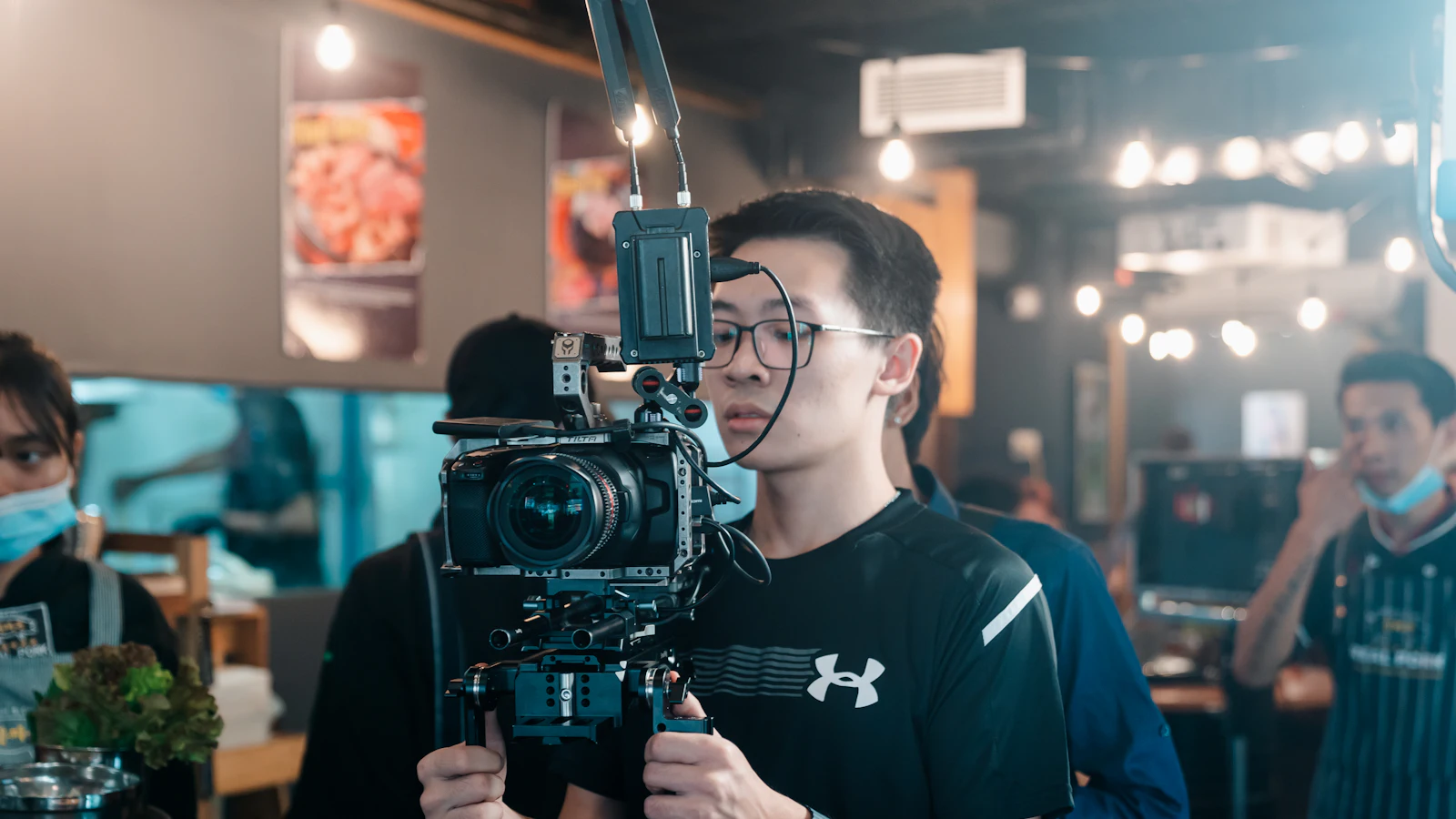
“Content shoot” sounds bigger than it is. No film crew blocking your doorway, no hair and makeup trailer. For most of our Perth clients it’s two or three of us, a camera, a couple of lights and about 90 minutes.
This guide walks through exactly what happens, from planning to posting, what you need to do, and how to get the most out of each shoot.
What is a monthly content shoot?
A monthly content shoot is a short, planned session at your business where a small crew films and photographs everything needed for your next month of social media. Instead of scrambling for something to post each week, you get a month of short videos, photos and carousels from one visit. The footage is edited, captioned, sent to you for approval and posted on a schedule.
The month at a glance
| When | What happens | Your time |
|---|---|---|
| Week before | Strategy session: review last month, agree topics, write hooks and scripts | 30 to 60 minutes |
| Shoot day | Film and photograph everything on the shot list | 90 minutes to 2.5 hours |
| Following week | We edit, design and caption the month | None |
| Approval | You review the month on your phone, one round of changes | About 30 minutes |
| Rest of the month | We schedule and post, and track what performs | None |
That’s roughly two hours of your time a month.
Before the shoot: the plan
The shoot is only as good as the plan. In the week before, we:
- Look at last month’s numbers. Which hooks, formats and topics worked, and which didn’t.
- Agree next month’s topics with you. Launches, events, seasonal menus, new services, questions customers keep asking.
- Write the hooks and short scripts for each video, so the first line earns attention.
- Build a shot list in filming order, grouped by location so we’re not moving lights back and forth.
By shoot day everyone knows exactly what we’re capturing and why. That’s what makes 90 minutes enough.
On the day: 90 minutes in five blocks
We run every shoot in the same order. It keeps things fast and means nothing gets missed.
1. Set up (before the clock starts)
We arrive early, check the light and noise, and clear anything distracting out of frame: bins, cables, personal items, half-stacked boxes.
2. Talking pieces first
If you or your team are on camera, we film this first while everyone’s fresh. You don’t memorise anything. We feed you one short line at a time and do a few takes of every hook. Most people are surprised how quickly it gets comfortable.
3. The work itself
Hands making things, dishes coming out, a treatment in progress, a job being finished. We capture wide, medium and close-up shots of each, because variety is what makes an edit feel professional. This is the footage that makes your feed feel real.
4. People and space
Your team at work, customers (only with their permission), your shopfront, signage and the details that make your place yours.
5. Website and profile photos
Because we shoot for your website at the same time, we finish with landscape photos: hero images, team headshots and service shots. The same session also gives you fresh photos for your Google Business Profile.
After the shoot: edit, approve, post
We edit everything into a month of content: short-form videos with captions and sound, photos, and designed graphics and carousels. We write the captions and put it all in one calendar for you to review on your phone.
You approve it or ask for changes in one round. Then we schedule and post it across your channels. Nothing goes live without your OK, and if a month isn’t right after a round of changes, we come back and reshoot at our cost.
How much content comes from one shoot?
It depends on the shoot length. On our plans:
- Starter (90 minutes): 5 short-form videos, 5 graphics and carousels, 8 photos.
- Standard (2 hours): 7 videos, 8 graphics and carousels, 9 photos.
- Professional (2.5 hours): 10 videos, 10 graphics and carousels, 10 photos.
There’s always spare footage left over for stories and future edits.
How to prepare for a content shoot
- Tidy the spaces we’ll film the day before, including the bits people forget, like the counter and the windows.
- Have your best work ready: the signature dish, the finished job, the product people ask about.
- Tell your team we’re coming, and who’s happy to be on camera.
- Wear solid colours. Small checks and stripes flicker on camera.
- Think of one thing customers always ask. It’s usually your best video idea.
- Block out your diary. Shoots go fastest when the person on camera isn’t also answering the phone.
Common worries, answered
“I hate being on camera.” You don’t have to be. Hands, process, team and space carry a feed on their own. If you do want to appear, short fed lines make it far easier than you’d expect.
“We’re too busy to stop for 90 minutes.” We plan around your quiet times and film in one area at a time, so most businesses keep trading.
“What if the content’s not right?” You approve everything, you get a round of changes, and if it’s still not right we reshoot at our cost.
Why monthly beats one big shoot
One big shoot a year gives you a folder of photos that dates fast. Your menu changes, your team changes, the season changes. A monthly shoot keeps your feed current, lets each month build on what worked last month, and grows a library of content you own and can use in ads, on your website and in print.
Consistency is also what platforms and customers reward. A steady month of good posts does more than a burst and three months of silence.
See how it works for your business: our social media plans.
FAQs
What is a monthly content shoot?
A short, planned photo and video session at your business, usually once a month, that captures everything needed for the next month of social media posts. The footage is then edited, captioned, approved by you and posted.
How long does a content shoot take?
Ours run 90 minutes to 2.5 hours depending on the plan. Most small businesses get a full month of content from 90 minutes when the shoot is planned properly.
Do I have to be on camera?
No. Plenty of our clients let the work, the space and the team do the talking. If you are on camera, we feed you short lines so there's nothing to memorise.
Will the shoot disrupt my business?
We plan around your quiet times and work in one area at a time. Most clients keep trading while we film.
How much content comes from one shoot?
On our Starter plan, one 90-minute shoot becomes 5 short-form videos, 5 graphics and carousels and 8 photos, plus spare footage for stories.
What should I wear on camera?
Solid colours, ideally your uniform or brand colours. Avoid small checks, thin stripes and big logos, which flicker or distract on camera.